
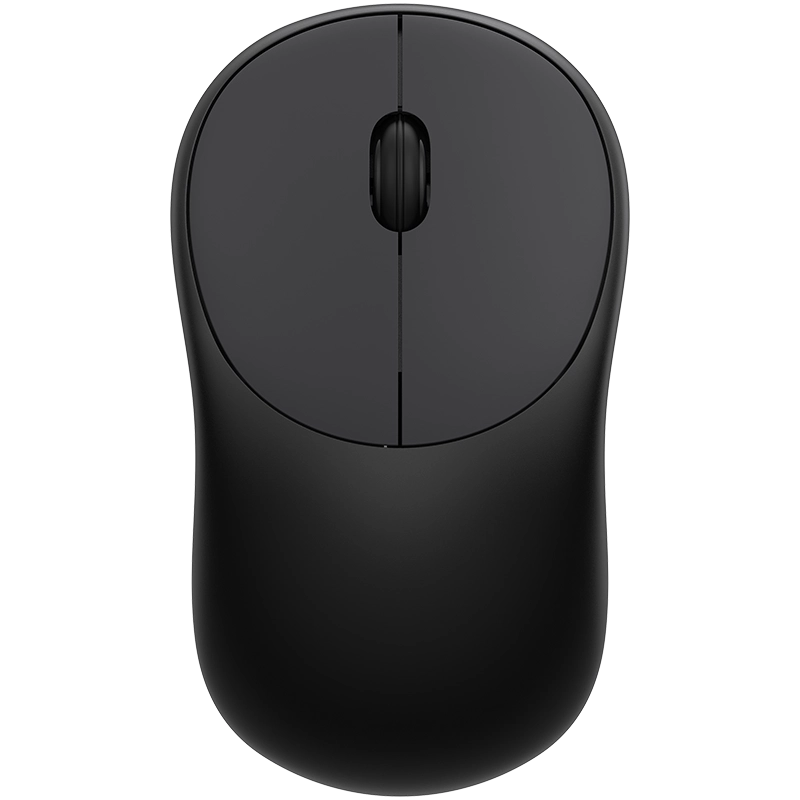
If you are sourcing mice for office computers, employee workstations, or business distribution, choosing the right wireless input device supplier involves more than checking price. You need stable connectivity, accurate tracking, comfortable handling, broad operating-system compatibility, and consistent production quality. The wrong mouse can lead to poor cursor control, user discomfort, or unnecessary replacement costs.
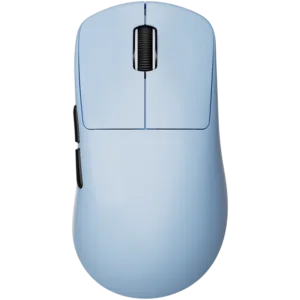
The M320 Wireless Office Mouse from Dongguan Langao Electronics addresses these practical requirements with a PAW3311 optical sensor, 2.4G wireless connectivity, a 73 g lightweight design, and compatibility with Windows, macOS, and Linux. These specifications make it suitable for everyday office, home, and business environments.
What Should You Expect from a Wireless Input Device Supplier?
When you evaluate a supplier, start with the product rather than the marketing claims. A dependable wireless input device supplier should provide clear specifications, consistent manufacturing, quality control, and customization support when required.
For business buyers, pay particular attention to:
- Wireless technology: A reliable 2.4G connection can help reduce cable clutter on office desks.
- Sensor performance: Accurate optical tracking supports document editing, browsing, and routine computer work.
- Ergonomic design: A compact shape can make extended daily use more comfortable.
- Product weight: A lightweight mouse is easier to move between workstations or carry with a laptop.
- Compatibility: Support for multiple operating systems simplifies deployment across different computers.
- Production capability: Consistent manufacturing matters when you need repeat orders or private-label products.
- Quality standards: Certifications and documented quality-control processes provide additional confidence for international buyers.
Founded in 2012, Dongguan Langao Electronics specializes in keyboards, mice, and other user-focused input devices. The company also provides OEM/ODM support for customers that require customized branding, design, or functionality.
M320 Wireless Office Mouse Specifications
The M320 focuses on practical office performance rather than unnecessary features. Its specifications make it a suitable candidate for companies purchasing wireless mice for regular business use.
| Feature | M320 Specification | Business Benefit |
|---|---|---|
| Mouse Type | Office Mouse | Suitable for daily productivity |
| Sensor | PAW3311 optical sensor | Stable and accurate cursor tracking |
| Connectivity | 2.4G Wireless | Cleaner, cable-free workspace |
| Weight | 73 g | Easy to carry and maneuver |
| Dimensions | 100 × 60 × 38 mm | Compact ergonomic form |
| Compatibility | Windows / macOS / Linux | Flexible deployment |
| Applications | Office / Home / Business | Suitable for multiple environments |
The PAW3311 sensor provides precise cursor movement for common tasks such as document editing, spreadsheet work, web browsing, and file management. Meanwhile, the 2.4G wireless connection helps you maintain a more organized workstation without relying on a wired mouse connection.
At only 73 g, the M320 also suits mobile work setups. You can move it between an office desk, meeting room, home workspace, or laptop bag without adding significant weight.
How to Select the Right Office Wireless Mouse
If you are comparing products from different suppliers, use a structured evaluation process instead of choosing based only on unit price.
Step 1: Define Your Application
Identify whether you need mice for corporate offices, home-office users, employee laptops, business distribution, or another specific application.
Step 2: Check the Core Hardware
Review the sensor, connection method, dimensions, weight, and operating-system compatibility. For example, the M320 uses a PAW3311 sensor and 2.4G wireless connection with support for Windows, macOS, and Linux.
Step 3: Evaluate User Comfort
Consider the mouse shape and dimensions because employees may use the product for several hours each day. The M320 measures 100 × 60 × 38 mm, providing a compact form designed for everyday handling.
Step 4: Assess Supplier Capability
Look beyond a single product. Check whether the supplier can maintain consistent quality, support repeat orders, and provide OEM/ODM services when your business requires customization.
Step 5: Confirm Quality and Compliance
Ask the supplier for applicable certification and quality documentation before placing a large order. Langao states that it follows international certifications and strict quality standards for its keyboards and mice, while supporting quality control throughout production.
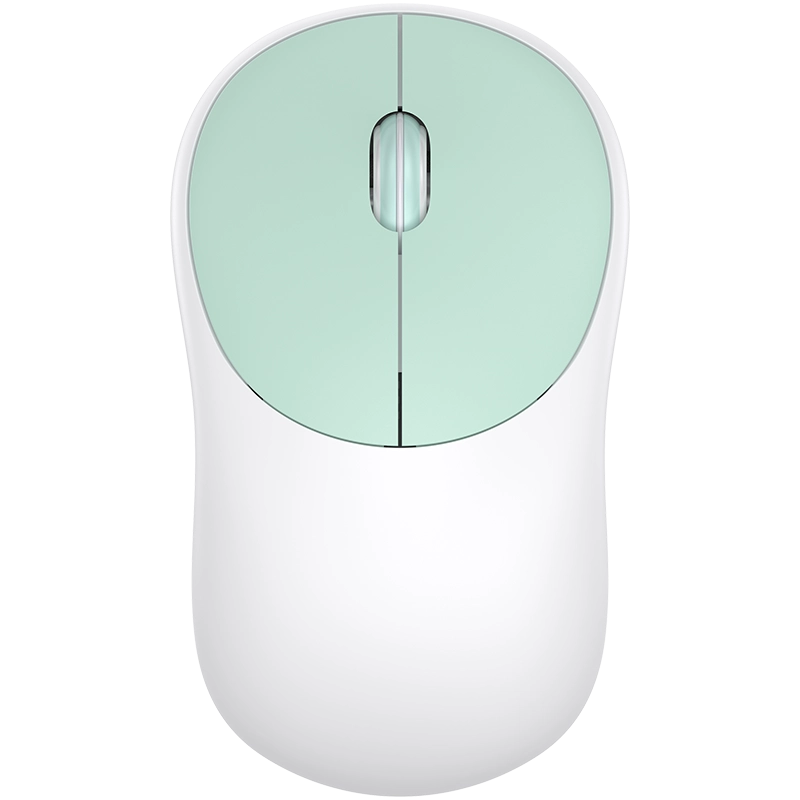
Where Can You Use the M320?
The M320 fits several practical business scenarios because it combines wireless connectivity, lightweight construction, and multi-platform compatibility.
Corporate offices: You can deploy the M320 at individual employee workstations where cable-free desk setups are preferred.
Home offices: Its compact dimensions and 73 g weight make it convenient for users who regularly switch between home and mobile workspaces.
Business distribution: If you purchase computer peripherals for resale or bundled equipment, the M320 provides a straightforward office-oriented mouse option.
Mobile workstations: Compatibility with Windows, macOS, and Linux makes it easier to support different computing environments.
Why Work with Langao Electronics?
A product specification tells you what the mouse does, but your supplier relationship determines how reliably you can source it over time.
Dongguan Langao Electronics has operated since 2012 and focuses on keyboards, mice, and input-device solutions. Its supplier capabilities include:
- OEM/ODM support for brand and product requirements
- Market-focused product development based on customer needs
- Production and logistics support for international customers
- Quality assurance throughout the manufacturing process
- International certification and quality-standard compliance
- Product solutions covering both keyboards and mice
For OEM or private-label projects, you can also discuss your required branding, product design, functional specifications, and target market with the Langao team before production.
FAQ
Is the M320 a Bluetooth mouse?
No. The M320 uses 2.4G wireless connectivity, not Bluetooth. This makes it a suitable option when you specifically need a 2.4G wireless office mouse.
Which operating systems support the M320?
The M320 is compatible with Windows, macOS, and Linux, allowing you to deploy it across different office and home computing environments.
Can Langao provide OEM/ODM mouse solutions?
Yes. Dongguan Langao Electronics provides OEM/ODM support and works with customers on branding, design, and functional requirements. For specific customization options, you should confirm the available configuration directly with the supplier.
Conclusion
When you source an office mouse for business use, focus on measurable specifications, user comfort, compatibility, production consistency, and supplier capability. The M320 combines a PAW3311 optical sensor, 2.4G wireless connectivity, 73 g weight, 100 × 60 × 38 mm dimensions, and Windows/macOS/Linux compatibility, making it a practical option for office, home, and business applications. If you need a dependable wireless input device supplier, Langao Electronics can provide product sourcing and OEM/ODM support based on your requirements.
CTA
Looking for a wireless office mouse for your business or private-label project? Contact Dongguan Langao Electronics to discuss the M320 specifications, OEM/ODM requirements, certification documentation, and sourcing needs for your market.




Add comment