
Choosing a Bluetooth mouse manufacturer requires more than comparing prices and product designs. If you source computer mice for office equipment brands, distributors, or corporate procurement, you need to verify connectivity, sensor performance, compatibility, quality control, and customization capabilities before placing an order. A product that looks suitable may not meet your customers’ actual requirements.
Dongguan Langao Electronics Co., Ltd. has specialized in keyboards, mice, and other input devices since 2012. The company supports global partners with OEM/ODM solutions and a focus on usability, consistent quality, and dependable delivery. Understanding the differences between Bluetooth and other connection methods can help you select the right product for your market and establish a more effective sourcing process.
What Should You Expect from a Bluetooth Mouse Manufacturer?
A reliable mouse manufacturer should provide clear specifications, consistent production standards, and practical support throughout the sourcing process. These details help you evaluate whether a product fits your distribution channel or business requirements.
When comparing suppliers, check the following factors:
- Connectivity: Confirm whether the mouse uses Bluetooth, a 2.4GHz wireless receiver, a wired USB connection, or multiple modes.
- Sensor performance: Review the sensor model and available performance specifications to assess suitability for office work or other applications.
- Compatibility: Verify support for your customers’ operating systems and devices.
- Ergonomics: Check the dimensions, weight, shape, and grip to determine whether the mouse suits extended daily use.
- OEM/ODM capabilities: Ask about branding, product customization, packaging, and technical requirements.
- Quality assurance: Request information about inspection procedures and applicable product certifications.
Langao Electronics emphasizes market insight, quality control, reliable delivery, and flexible OEM/ODM support. Buyers should confirm the specific services, documentation, and production requirements available for their selected model before proceeding.
M618 Office Mouse: Specifications and Applications
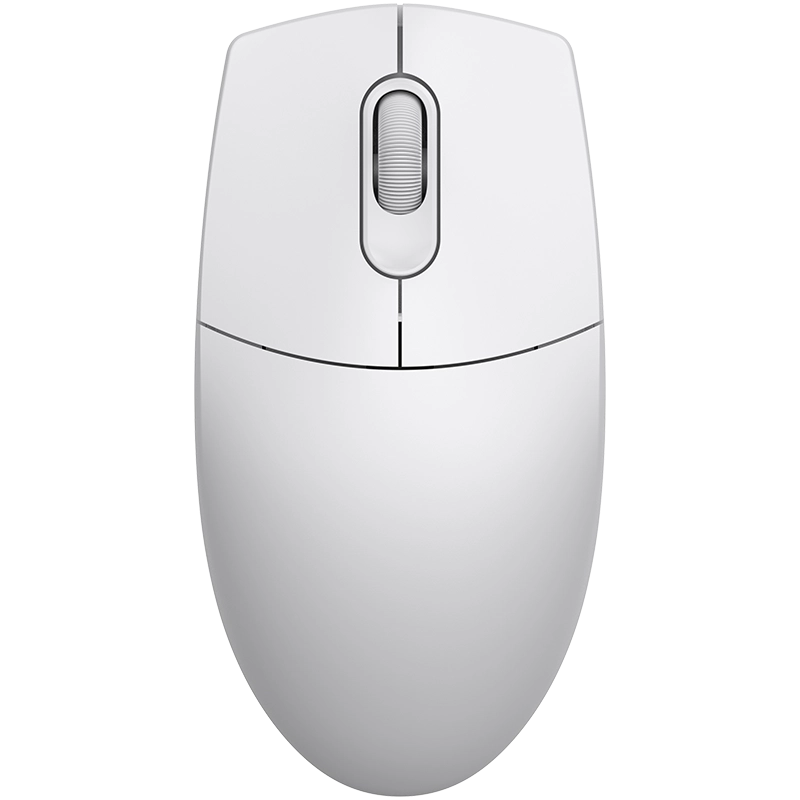
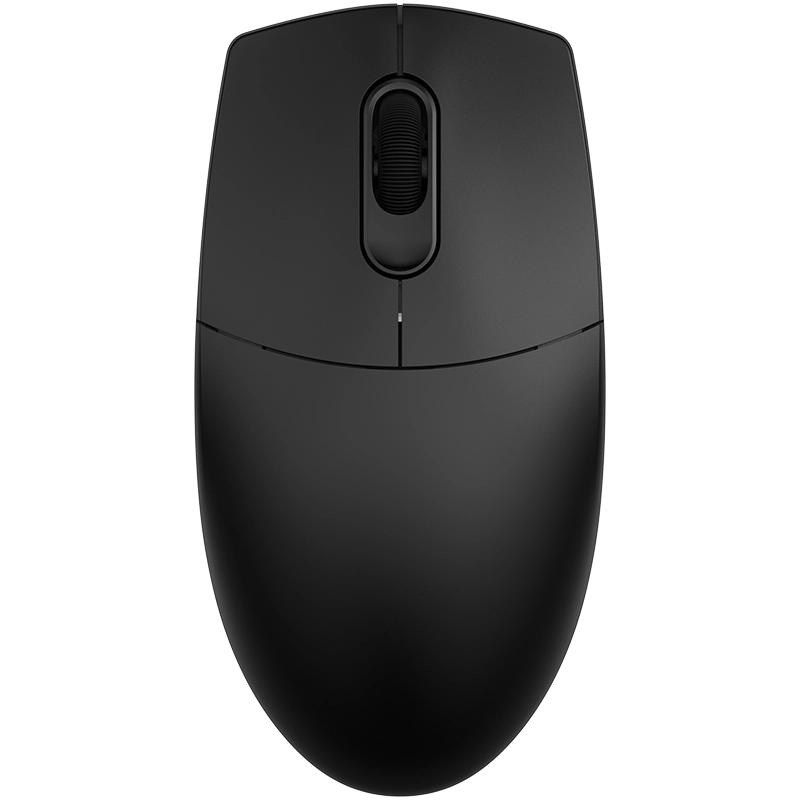
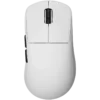
The M618 office mouse is designed for office, home, and business environments. Its specifications make it relevant to buyers seeking a lightweight pointing device with flexible wired and wireless connectivity.
| Specification | M618 Details |
|---|---|
| Model | M618 |
| Mouse type | Office mouse |
| Dimensions | 118 × 61 × 35 mm |
| Sensor | PAW3311 |
| Connectivity | 2.4G wireless / wired USB |
| Weight | 67 g |
| Compatibility | Windows, macOS, Linux |
| Typical applications | Office, home, business |
How Can the M618 Support Daily Office Work?
The M618 weighs 67 g, making it a lightweight option for everyday computer tasks. Its 118 × 61 × 35 mm dimensions provide a compact footprint for desks with limited space, including shared workstations and home offices.
The PAW3311 sensor supports cursor tracking for routine activities such as document editing, spreadsheet management, and navigating business applications. Buyers should request detailed sensor specifications, including available DPI settings, before comparing performance across competing models.
The dual connectivity options also give users flexibility. You can choose 2.4G wireless operation for a cable-free desk setup or connect through USB when a wired connection better suits the workstation.
The listed M618 specifications do not identify Bluetooth connectivity. If your customers specifically require a Bluetooth mouse, ask Langao Electronics whether a Bluetooth-enabled model is available rather than treating the M618 as a Bluetooth product.
Bluetooth vs. 2.4G Wireless vs. Wired USB Mice
Understanding connection types helps you avoid sourcing products that do not match your customers’ expectations.
| Feature | Bluetooth Mouse | 2.4G Wireless Mouse | Wired USB Mouse |
|---|---|---|---|
| Connection | Bluetooth pairing | Usually a USB receiver | USB cable |
| Receiver required | Usually no separate receiver | Typically yes | No wireless receiver |
| Cable-free operation | Yes | Yes | No |
| Battery or power needs | Usually battery or rechargeable power | Usually battery or rechargeable power | Typically powered through USB |
| Common applications | Laptops, compatible tablets, flexible workspaces | Office PCs, desktops, laptops | Fixed workstations and shared computers |
Actual features vary by model, so confirm power requirements, pairing support, receiver inclusion, and operating-system compatibility before purchasing.
For example, a company equipping laptop users may prioritize Bluetooth to preserve USB ports. A distributor supplying desktop office equipment may prefer 2.4G wireless mice, while a business operating fixed workstations may choose wired USB models to avoid battery management.
How to Select the Right Mouse Supplier
Follow these steps to evaluate a potential office mouse manufacturer and reduce purchasing uncertainty.
- Define your target market. Identify whether you serve office equipment distributors, corporate buyers, computer accessory retailers, or branded product businesses.
- Confirm the connection type. Specify Bluetooth, 2.4G wireless, wired USB, or a combination. Do not assume that all wireless mice support Bluetooth.
- Compare technical specifications. Review sensor models, weight, dimensions, compatibility, and available performance data. Request a specification sheet for each shortlisted model.
- Evaluate customization requirements. If you need private-label products, discuss logo placement, packaging, design changes, and OEM/ODM availability with the supplier.
- Verify quality and compliance. Ask for relevant test reports and certification documents for the exact product and destination market. Langao Electronics states that it follows quality standards, but you should verify the specific certifications applicable to your order.
- Request a quotation and sample. Confirm the minimum order quantity, unit pricing, sample costs, lead time, warranty terms, and delivery arrangements before committing to bulk production.
Frequently Asked Questions
1. What is the difference between a Bluetooth mouse and a 2.4G wireless mouse?
A Bluetooth mouse connects through Bluetooth, usually without a dedicated USB receiver. A 2.4G wireless mouse typically uses a USB receiver operating on the 2.4GHz band. Both provide wireless operation, but their pairing methods and device requirements differ.
2. Can the M618 office mouse connect through Bluetooth?
The listed M618 specifications identify 2.4G wireless and wired USB connectivity only. Bluetooth support is not confirmed. Contact Langao Electronics to verify whether another model meets your Bluetooth requirements.
3. What should you ask a mouse manufacturer before placing a bulk order?
Request detailed specifications, sample availability, MOQ, pricing tiers, production lead times, customization options, quality inspection procedures, and relevant compliance documents. Confirm each point in writing to reduce misunderstandings during production and delivery.
Conclusion
Choosing the right Bluetooth mouse manufacturer means matching verified product specifications with your market’s needs. Dongguan Langao Electronics Co., Ltd. has supplied keyboards, mice, and input devices since 2012 and offers OEM/ODM support for business partners. Before selecting the M618 or another model, confirm connectivity, sensor specifications, customization options, and quality documentation to ensure that your order meets its intended requirements.
Ready to discuss your mouse sourcing requirements? Contact Langao Electronics to request product specifications, confirm Bluetooth model availability, and discuss OEM/ODM options, sample arrangements, and bulk purchasing terms.







Add comment